CHAT AI Chatbot: a multi-mode assistant for writing and visuals
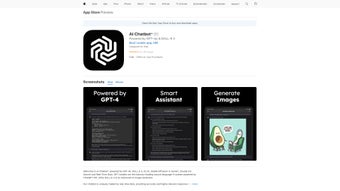
CHAT AI Chatbot, from Social Media Apps & Game Sports Health Single Member P.C., is an AI productivity companion for everyday tasks and creative work. It offers conversational drafting, idea exploration, and content generation through a single interface, aimed at accelerating routine text and visual workflows. The app groups model-driven tools with preconfigured expert personas and mobile-optimized controls, delivering multilingual support and quick task templates for students, writers, and content creators who need fast, on-device convenience.
What tasks can you actually use it for?
The app serves as a multi‑modal assistant for practical outputs: conversational drafting and editing, on-demand image creation, and digitizing printed material. It provides voice input and output for hands‑free interaction, OCR to extract text from photos and documents, and specialized assistants tuned for travel, fitness, and education. These task types map to concrete user outcomes such as turning a photographed receipt into editable text or producing illustrative visuals from a written brief.
How accurate are the outputs compared to doing it manually?
Text responses and creative prompts are produced by advanced large language and image models, which the app integrates for higher-fidelity results, and App Store reviews praise content quality. Accuracy depends on input clarity: crisp scans and well‑phrased prompts yield clearer OCR and generated outputs, while noisy audio or vague prompts reduce reliability. The app’s persona presets speed results, but complex or high‑stakes content still requires human review and independent verification.
Does it fit into existing workflows and platform needs?
The developer targets the Apple ecosystem with iPhone, iPad, Mac (Apple Silicon optimization) and Apple Watch support, so the tool integrates into mobile and desktop device workflows. No standalone browser version was identified, which concentrates use within those devices. Voice, image upload, and mobile controls match on‑device capture patterns, making the app convenient for quick edits and field capture when users operate primarily from Apple hardware.
A practical pick for Apple-centered users who want consolidated AI tools
For users working mainly on Apple devices, the app delivers a single access point for drafting, visual generation, and document digitization, backed by advanced model integration and App Store approval. Expect strong convenience for short-form and creative tasks, and plan to verify outputs for complex or sensitive material. The app suits students and creators who accept model‑dependent results and an Apple-focused distribution model.